

Founder notes
How to Reduce Appointment No-Shows in a Small Service Business
By Djordje (George) Milićević · Thinking Mans Systems
Published · 8 min read
Quick take
To reduce appointment no-shows, give customers a clear way to confirm or request a different time, then track their answer separately from message delivery. Check the calendar and travel buffers before promising a slot, stop outdated reminders after a change, and assign a named dispatcher to unresolved replies or failed sends. A reminder is only useful if someone owns what happens next.
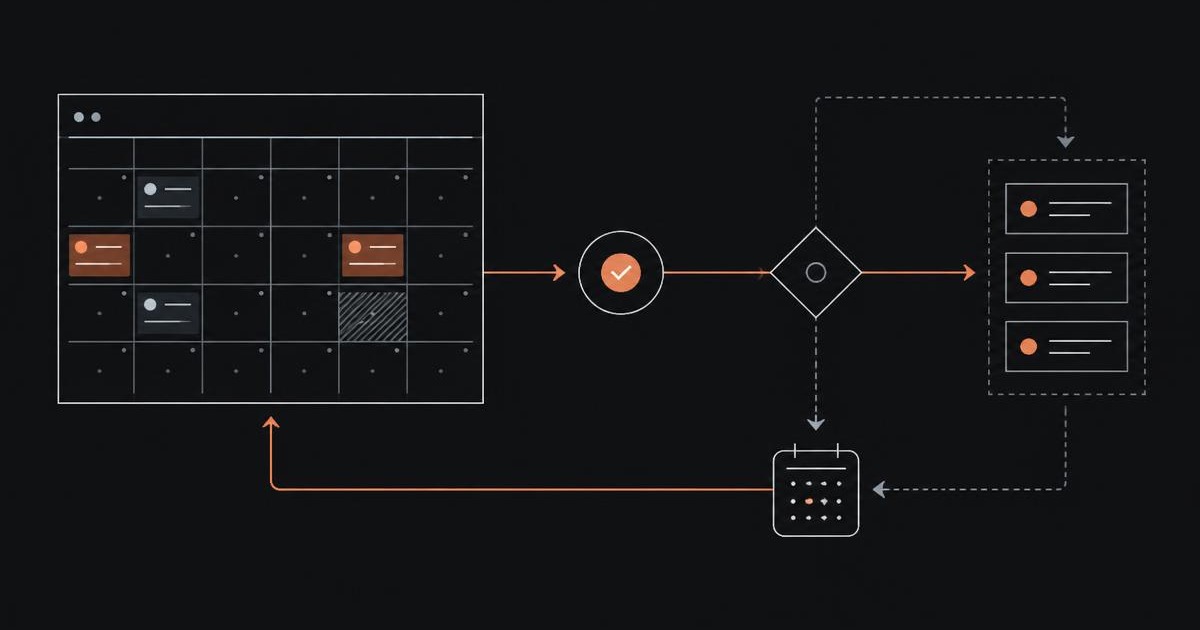
A vacant appointment is not always a reminder problem. The customer may think the visit is tomorrow, have asked to move it, or be waiting for an answer about access. Sending another text does not resolve any of those cases unless the reply reaches someone who can act.
I would inspect the gap between booking and dispatch before adding messages. For a small service business, that gap needs a few explicit states and a workable review queue, not a second calendar that the office has to maintain by hand.
What does a confirmed appointment actually mean?
Separate three facts: the business reserved a slot, the customer confirmed that particular visit, and the reminder reached its destination. Each can be true without the other two. “Delivered” is not “I will be there.”
Google Calendar distinguishes an event's status from an attendee's response. Its event resource and attendee response fields (opens in a new tab) include needsAction, tentative, accepted, and declined. An event marked confirmed is not proof that a customer accepted it. Keep your operational confirmation record explicit, especially when customers reply by text rather than through a calendar invitation.
Store the appointment ID, current date and arrival window, service address, assigned resource, and latest customer response together. A reply belongs to that appointment version. If dispatch moves the visit after a “YES,” ask the customer to confirm the new arrangement instead of carrying acceptance forward.
How would this work for a 10-van HVAC business?
Illustrative scenario, demo only: Imagine a 10-van HVAC business scheduling maintenance visits. This is a fictional workflow, not a client story or a claim about results. A dispatcher owns customer replies and a service manager covers the queue when that dispatcher is unavailable.
In this demo, the booking message identifies the business, service, date, and arrival window. It asks: “Reply YES to confirm this visit or CHANGE if you need another time.” It also gives a phone number for questions. The office explains that a change request is not a new booking until a replacement is agreed.
A demo reminder on the day before the visit asks an unanswered customer for the same decision. For a customer who already confirmed, it repeats the current window and asks them to contact the office if access or availability changed. It does not ask for another YES just to create activity. This timing is a design example, not an industry benchmark.
Twilio's appointment reminder tutorial (opens in a new tab) introduces reminders tied to appointments and now recommends its built-in Message Scheduling functionality. The business still has to define the response handling, calendar checks, and dispatch decisions around the sending step.
- Pending confirmation: the slot is reserved, but no clear answer has arrived.
- Customer confirmed: a clear answer matches the current visit details.
- Change requested: the dispatcher must agree a replacement and check availability.
- Needs human review: a reply, failed send, or uncertain write prevents a reliable next step.
- Canceled or completed: future reminders for this visit stop.
Message delivery lives in a separate field. The dispatcher should be able to see “pending confirmation, message undelivered” without mistaking it for a customer who ignored the office. For the earlier handoff, see what happens between a missed-call reply and a booking.
Which calendar checks prevent a reminder from promising the wrong slot?
A reminder should read the current appointment, not a date copied into a message queue last week. Before dispatch promises a replacement, check the assigned technician, expected service duration, location, and travel or preparation time. A free hour on a calendar does not prove that the right technician can reach that address.
Google's free/busy query response (opens in a new tab) returns busy intervals and can contain errors for individual calendars. An unreadable calendar is not an available calendar. Check those errors and leave the offer for dispatch if a required resource could not be checked.
Demo buffer rule: Reserve 30 minutes after the maintenance visit for travel and closeout. This is a hypothetical rule for the example, not a recommendation for every HVAC job. Dispatch sets buffers by route and service type and reviews them when actual work no longer fits the schedule.
Apply the buffer in every availability check, including manual bookings. Either reserve it as blocking time or expand the occupied interval in your scheduling logic. A note that says “allow travel” does not stop another tool from selling that time. Keep the customer-facing arrival window separate from the internal blocked interval.
Recheck immediately before saving a reschedule. A free/busy lookup does not hold the slot while the customer decides. Coordinate booking writes through one authoritative scheduling process and treat a competing booking as an exception. Store time-zone-aware times and display the local arrival window consistently, including across daylight saving changes.
What should happen after each customer response?
Give each branch a customer path and an owner. These are illustrative role labels. Before launch, replace them with named people and coverage arrangements.
| Situation | Automation action | Customer path | Human owner |
|---|---|---|---|
| Booking confirmation | Attach a clear YES to the current visit and stop confirmation chasing | See the agreed window and a contact for changes | Dispatcher checks mismatched or late replies |
| No response | Keep pending and flag at the agreed dispatch cutoff | Receive the agreed follow-up, not an automatic cancellation | Dispatcher decides whether to call or proceed |
| Reschedule request | Pause old reminders and check replacement capacity | Agree a checked new slot before it is confirmed | Dispatcher owns the calendar change |
| Ambiguous reply | Preserve the reply and route it without guessing | Get a clarification from the office | Dispatcher reads the conversation |
| Failed send | Record status and error, then flag the contact problem | Use an appropriate agreed alternative contact method | Dispatcher contacts customer, workflow owner investigates |
| Calendar conflict | Block the new promise and keep the conflict visible | Receive a checked alternative, not two confirmations | Service manager resolves resource priority |
A bare YES is safe only when you can connect it to one current appointment. If the same phone number has two visits, ask which one. “Yes, but after lunch” is a change request, not acceptance of a morning window. “I think so” needs clarification. Keep the original reply visible to the dispatcher.
Handle messaging opt-outs before ordinary confirmation keywords. Twilio's Advanced Opt-Out handling (opens in a new tab) can report an OptOutType to your webhook when enabled and configured. STOP is not an appointment cancellation instruction. Suppress further texts according to the messaging service's opt-out behavior and route appointment follow-up through an appropriate permitted channel. Do not retry around a block.
How do you know whether a reminder was actually sent?
Save the provider message ID and initial status from the send response, then attach later delivery updates to that attempt. Twilio's outbound message status callback guide (opens in a new tab) distinguishes sent, failed, delivered, and undelivered. It also says that a callback is not sent for a new message's initial status. Waiting only for a callback leaves that first part of the record incomplete.
A delivered message still does not prove a customer read or accepted it. Track delivery as transport evidence and confirmation as a customer decision. If delivery updates stop arriving, mark the status stale rather than assuming success. Check the provider record and the callback receiver before resending.
The dispatcher needs a short actionable view: appointment, arrival window, latest answer, latest message status, next action, and owner. The technical workflow owner needs the attempt ID and error detail. Neither needs credentials or unnecessary customer information copied into an alert.
What if the API times out or the workflow fails without an alert?
A send request can time out after the provider accepted it. A calendar update can succeed while its response is lost. “No response” means uncertain outcome, not permission to create another message or event. Preserve the attempt and reconcile it before issuing a fresh write.
Google's guide to creating calendar events (opens in a new tab) says a client-supplied event ID can help prevent duplicate creation after a backend operation succeeded but the client saw a failure. Use that identity to check the original event. Do not assume the same protection exists for a message send or that every connector exposes it.
For an existing event update, read back that event and compare the intended appointment version. For an uncertain message send, use the provider ID if one was saved. If you cannot establish what happened, hand the case to the workflow owner and let dispatch handle customer contact deliberately.
Define a bounded retry policy for understood transient failures. Follow the provider's applicable backoff guidance, cap attempts, and check that the reminder is still useful before another send. Invalid contact data, an opt-out, a calendar conflict, and an unknown write outcome need different actions. After a reschedule, never replay a reminder containing the old window.
n8n's error workflow and Error Trigger documentation (opens in a new tab) explains how an execution failure can trigger an error workflow. Configure that path, but also compare appointments due for reminders against recorded attempts. A trigger that never ran or a node that returned empty data without failing may not produce the execution error you expected.
This is the same distinction as an invoice write with a missing acknowledgment: reconcile what exists before repeating the action. The record should show what is known, what remains uncertain, and who is checking it.
Who takes over when automation cannot decide?
Assign customer decisions to dispatch and integration failures to the workflow owner. The service manager decides conflicts that affect technician priority. These are different responsibilities even if one person holds several roles. Give each queue item one accountable person and an explicit backup.
Agree the review cutoff relative to dispatch preparation. At that point, the dispatcher reviews unresolved visits and chooses the permitted next step: call, clarify access, agree a replacement, or proceed under the policy explained at booking. An unanswered reminder should not invent a cancellation rule.
Check that the backup can see the conversation and update the appointment. An alert sent to someone without calendar access is not a usable fallback. Record the decision on the appointment so a later automatic run does not undo it.
What should you test before trusting this workflow?
Use demo appointments and controlled contact numbers first. Test the branches that can put a technician at the wrong address or a customer in the wrong window, not just whether the first reminder arrives.
- A late YES after the office changes the arrival window.
- Two appointments attached to one customer phone number.
- A CHANGE reply while another person books the offered replacement.
- An undelivered message, an opt-out, and a missing delivery update.
- A calendar write that succeeds before its response times out.
- A skipped reminder run and a dispatcher who is unavailable.
For each test, confirm the appointment state, the customer-facing response, and the person who receives the exception. Measure actual missed visits, unresolved confirmations, failed sends, and time spent reviewing them after launch. More texts sent is not evidence that the scheduling problem improved.
Our scheduling and dispatch automation work starts with these handoffs: which calendar is authoritative, what can be promised automatically, and where a person must decide. Keep the first scope to one appointment type until those boundaries hold up in daily work.
Common questions
- Should an unanswered reminder automatically cancel the appointment?
- Not by default. No response is not a cancellation, and the message may not have arrived. Keep the appointment pending confirmation and have the dispatcher follow the policy agreed at booking before releasing the slot.
- Can customers reschedule without speaking to dispatch?
- Yes, if the workflow checks the required technician, service duration, location, and buffers, and reliably saves the change. If any check or write has an uncertain outcome, keep the request under human review rather than promising the new slot.
- Do we need custom software for appointment reminders?
- Use the scheduling tool you already have if it can connect replies to the right appointment, stop stale reminders, expose failed sends, and assign exceptions. Add custom work only for a specific gap those tools cannot handle or make visible.
Want to discuss one appointment workflow?
Bring the path from booking to dispatch, one reminder, and an example of a reply your team has to handle manually. We can look at where the decision gets stuck before deciding whether you need a process change or new automation.
Let’s work through it