

Founder notes
How to Automate Subcontractor Onboarding Without Missing a W-9 or Insurance Certificate
By Djordje (George) Milićević · Thinking Mans Systems
Published
Quick take
Automate requests, receipt checks, reminders, and status updates, but keep W-9 review, insurance decisions, and payment setup under separate named owners. Approve a vendor for the first job only after required checks are recorded, with missing documents, changed payment details, and uncertain writes held for review. Keep sensitive documents in approved restricted systems rather than copying them into dispatch notes.
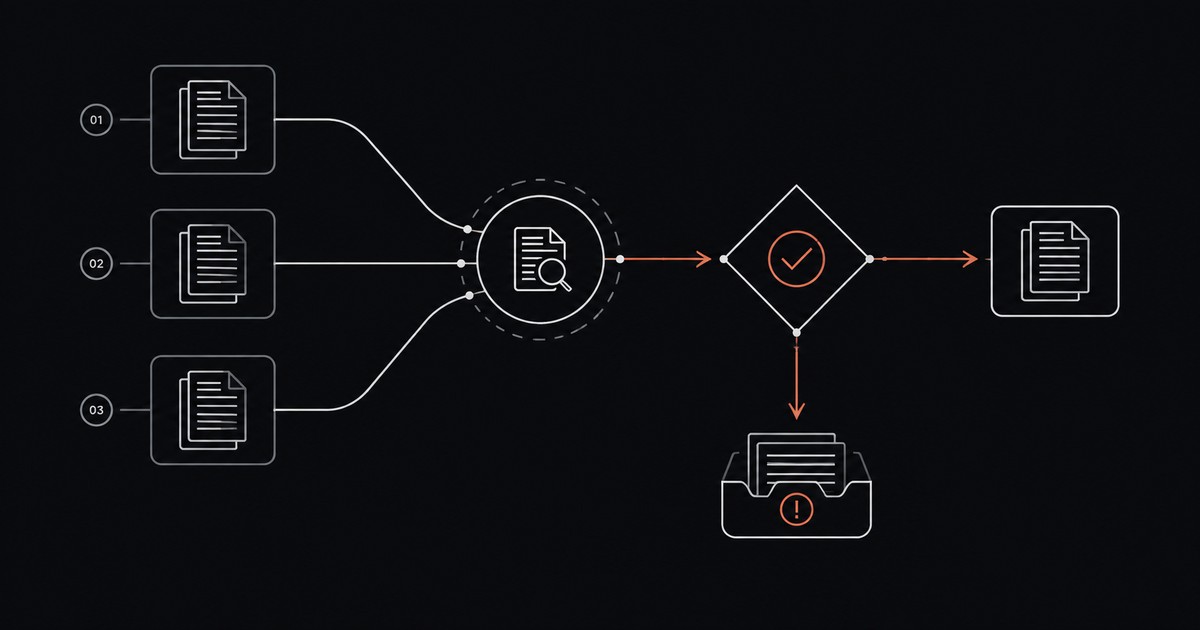
Illustrative workflow: The first job is on tomorrow’s board, but the subcontractor’s folder contains a blurry insurance certificate and no W-9. Accounting has a payment-change email that dispatch has never seen. The schedule looks ready because someone marked the vendor active.
This is operational guidance, not legal, tax, insurance, or security advice. Have appropriate advisers review the approval rules.
What should onboarding establish before the first job?
Build a reviewable state machine with defined stages and permitted moves. An upload changes document status, not permission to work. Keep three separate tracks.
- Invitation and requested: Confirm the intended vendor, send the approved collection links, and record what is due.
- Received and verified: Record receipt, then have each reviewer check the evidence within their responsibility.
- Approved or exception: Release only the work covered by the approval, or assign a specific unresolved item.
- Expiry monitoring: Track insurance dates and review changes without assuming yesterday’s approval covers tomorrow’s job.
Calling someone a contractor does not settle worker classification. The IRS guidance on worker status and control (opens in a new tab) considers the relationship, control, and independence, and identifies Form SS-8 as an option when status is unclear. Send uncertain cases to a tax or employment adviser before treating them as routine vendor intake.
How would this work for a ten-crew exterior-services company?
Illustrative workflow, fictional demo: A ten-crew exterior-services company wants to engage a subcontractor for a gutter repair. Job D-204 and vendor V-031 are demo identifiers, not a client project. Morgan, the operations lead, owns release to dispatch.
The invitation carries V-031, the legal name, approved contact, and checklist version. Accounting owns the W-9 and payment setup. Casey owns insurance review.
Record each track’s status, restricted evidence reference, reviewer, timestamp, issue, and next action. Log the release decision and evidence versions. Dispatch sees readiness, not tax or bank information.
If the certificate needs clarification, the job stays on hold. Morgan can contact the subcontractor or arrange a different assignment. Our client intake automation work uses the same distinction between receiving information and deciding that a record is ready.
What should a W-9 check actually confirm?
The IRS overview of Form W-9 (opens in a new tab) explains that it supplies the correct taxpayer identification number to a requester required to file information returns. Accounting still needs to review it.
Check readability and vendor identity. Accounting reviews required information and certifications. Software can flag missing fields, but number format cannot prove a correct TIN.
The IRS requester instructions for electronic W-9 systems (opens in a new tab) allow electronic submission under requirements for integrity, access records, identity assurance, and required electronic signatures. A generic form is not automatically adequate. Have accounting check the system against those instructions.
After contractor status is determined, the IRS guidance on independent-contractor forms and retention (opens in a new tab) calls for obtaining a W-9 and keeping it in your files for four years. Set the retention and access rules with accounting. Missing forms go to an accounting exception.
Does receiving an insurance certificate make the vendor ready?
No. Check readability, identity, policy dates, and job requirements separately. Software can flag an expired date or missing page. It cannot settle coverage questions.
The ACORD certificate FAQ on policy and coverage limitations (opens in a new tab) states that a certificate is not an insurance policy and does not endorse, amend, extend, or alter coverage. A reference to a contract on the certificate does not itself provide coverage.
Give Casey the contract checklist. Obtain clarification from the appropriate agent, broker, or adviser when a requirement is unclear or not shown. Record the decision and evidence instead of letting document extraction approve coverage.
Check changed renewal details and preserve review history. Track expiry against scheduled work and request updated evidence. A reminder cannot prove unchanged coverage.
How should payment details and changes be handled?
Use the business’s approved secure payment or provider workflow. Do not ask subcontractors to email raw account or routing numbers, and do not copy them into CRM notes. Operations usually needs a vendor identifier and setup status, not the underlying account details.
Stripe Financial Connections documentation on ownership data permissions (opens in a new tab) describes accessing ownership details with the user’s permission. This illustrates provider-based collection, not guaranteed fraud prevention or universal provider controls.
A payment-detail change should reopen the payment track and pause activation of the replacement destination. Accounting verifies the request using the approved process and a previously established contact method, not a phone number supplied in the change email. Record the reviewer and provider reference without exposing account data to dispatch.
Keep job approval separate from payment authorization. The responsible people decide what can proceed while a change is reviewed. An email must not overwrite a verified destination.
Who should own each exception?
Each task needs vendor ID, track, reason, owner, backup, and next review time. These fictional demo rules are not universal tax or insurance requirements.
| Signal or event | Automatic action | Human decision | Owner |
|---|---|---|---|
| Missing W-9 | Keep tax track requested and issue a targeted reminder | Resolve the missing form and any tax questions | Accounting lead |
| Unreadable or expired certificate | Flag the document and hold insurance approval | Obtain current readable evidence | Casey, insurance reviewer |
| Contract requirement unclear | Create a coverage-review task | Check supporting evidence with the appropriate adviser | Casey with contract owner |
| Payment details changed | Pause replacement destination activation | Verify the change through the approved process | Accounting lead |
| Possible duplicate vendor | Hold creation and show both records | Select the correct legal entity and surviving record | Vendor-records owner |
| API timeout or CRM write failure | Preserve operation and mark outcome unresolved | Read back state before replay or manual update | Workflow maintainer with Morgan |
| Insurance expiry approaching | Open renewal task against scheduled work | Decide whether upcoming assignments remain authorized | Casey with Morgan |
Do not merge vendors by similar names or shared email addresses. Authorized staff must compare established IDs and accounting-controlled identity evidence. A mistaken merge can misroute documents or payments.
What happens when the handoff fails before dispatch sees approval?
Before writing, save vendor ID, evidence version, intended transition, and request reference. Repeated webhooks should find that operation, not duplicate a vendor or approval. Test this safeguard rather than assuming connector support.
A timeout leaves an unknown outcome. Read back the target record before retrying, since the write may have succeeded. Retry only understood temporary failures under a bounded policy, then assign unresolved cases. Missing data and conflicting identity need correction, not repeated requests.
Compare approved source records with CRM readiness on a regular schedule to find missed events and stuck updates. Our invoice sync failure guide explains the same read-back check before repeating an uncertain accounting write.
Morgan is the named manual fallback owner in this demo, with the service manager as backup. They inspect the source evidence, obtain the required reviewers’ decisions, and document any manual release. A failed notification stays open until someone acknowledges the task.
Before launch, test missing forms, expired certificates, disputed requirements, duplicate vendors, changed payment details, and a timeout after acceptance. Our business system integration work focuses on reviewable handoffs. Aim for an accountable readiness decision, not a complete-looking folder.
Mini FAQ
Can I collect a W-9 with a form?
Yes, if the electronic collection system meets the applicable IRS requester requirements. A generic name-and-number form is not automatically enough. Have accounting review the required content, certifications, identity checks, submission records, and signatures before using it.
Does a certificate prove every contract requirement?
No. A certificate provides policy information, but is not the policy and does not amend coverage. Have the insurance reviewer compare it with the actual contract requirements and obtain supporting clarification where needed before approving the work.
What happens if the CRM write fails?
Keep the intended transition and vendor ID in the operation record, then read back the CRM state before retrying an uncertain write. If the outcome remains unclear, assign the workflow maintainer and the operations owner. Do not release a job because the source system alone says approved.
Want to talk through one onboarding workflow?
Bring your current checklist and one redacted example of a handoff that gets stuck. We can discuss the review states and owners before deciding whether any automation would help.
Let’s work through it